

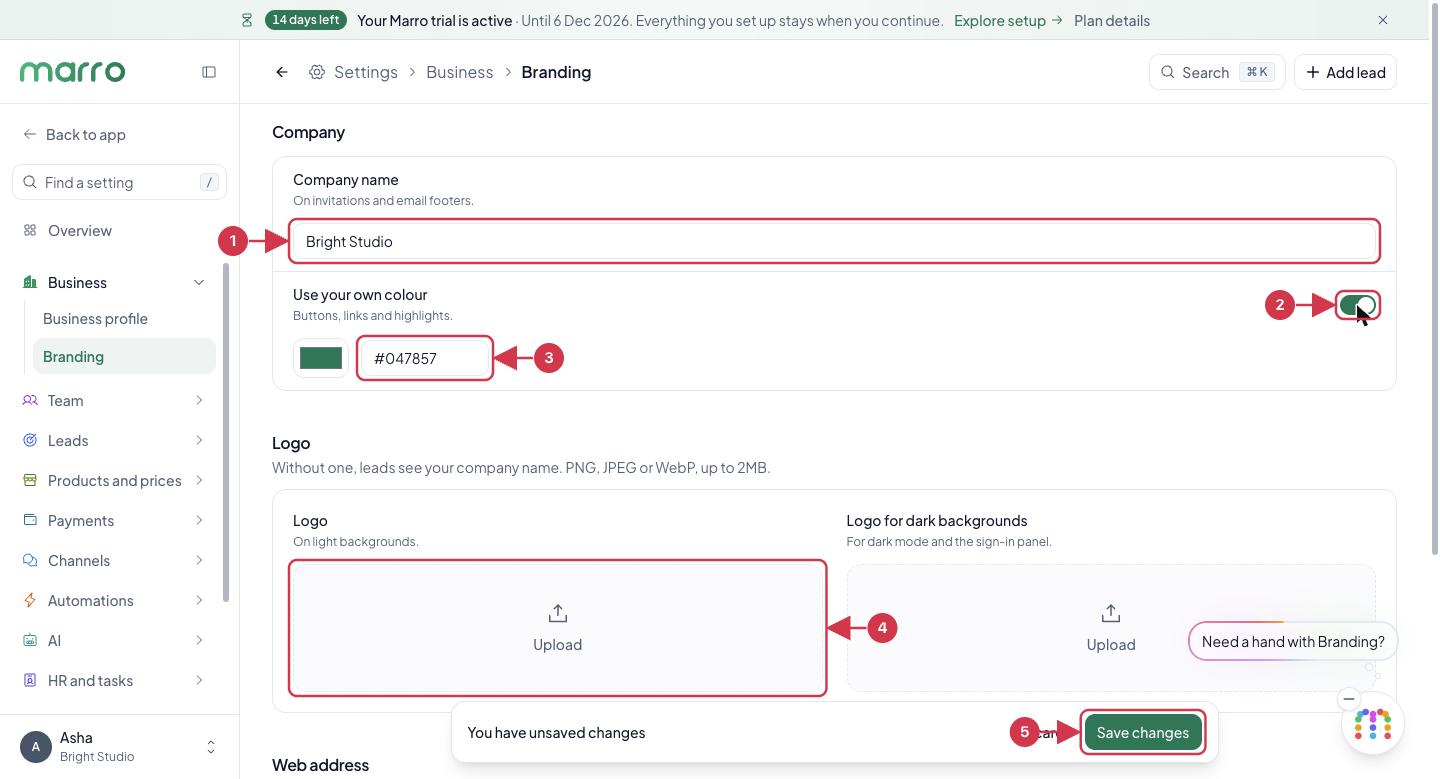
Set your brand
1
Company name
Type the name customers know you by.
2
Colour
Turn on Use your own colour, then type or pick it.
3
Logo
Upload logo. You can add one for dark backgrounds too.
4
Save
Choose Save changes.
Where it shows
Ask Marro
Try asking
“Change our brand colour to #0f766e”Marro shows the change and asks before saving.