

Ready-made roles
A new organization has Admin, Advisor (works leads) and Partner (refers leads). More ready-made roles are under Add a ready-made role.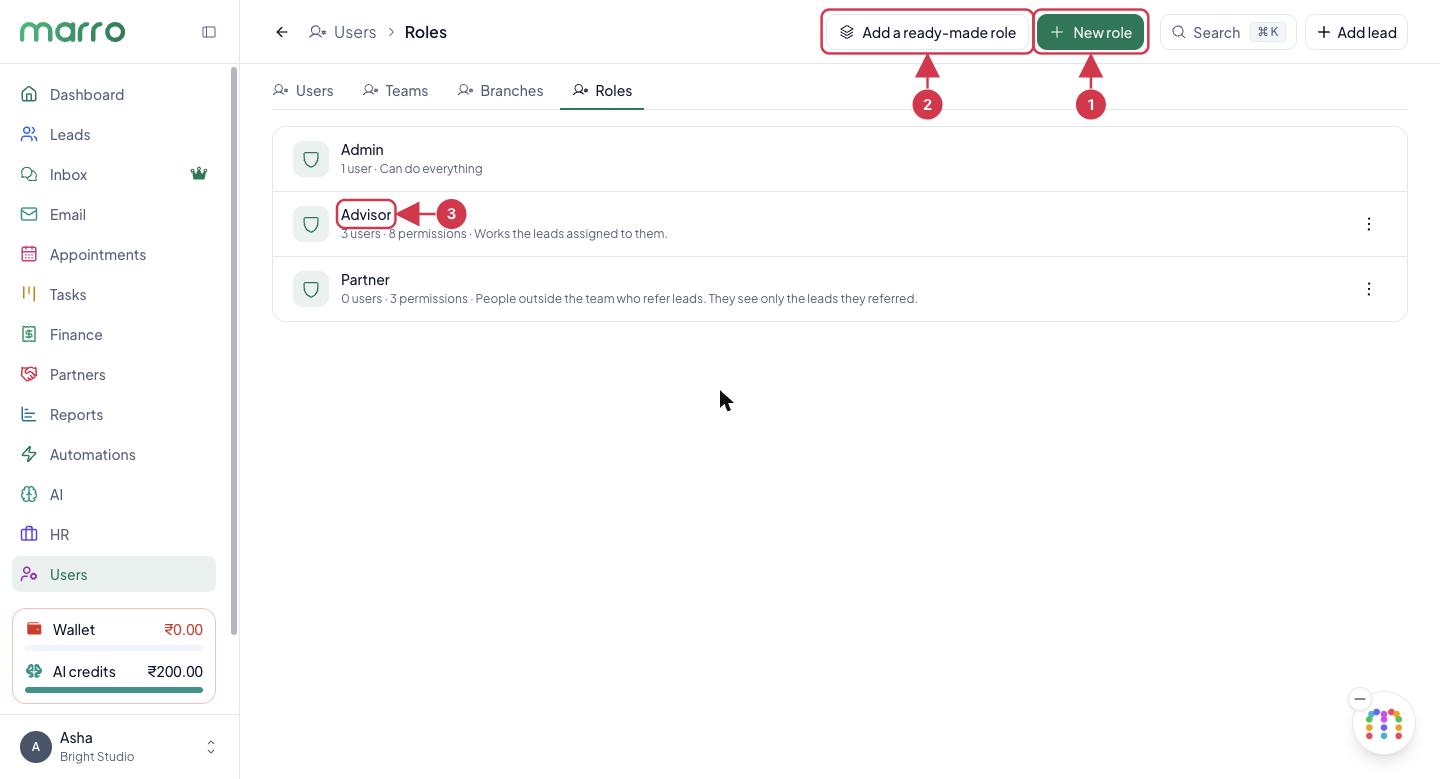
Edit a role
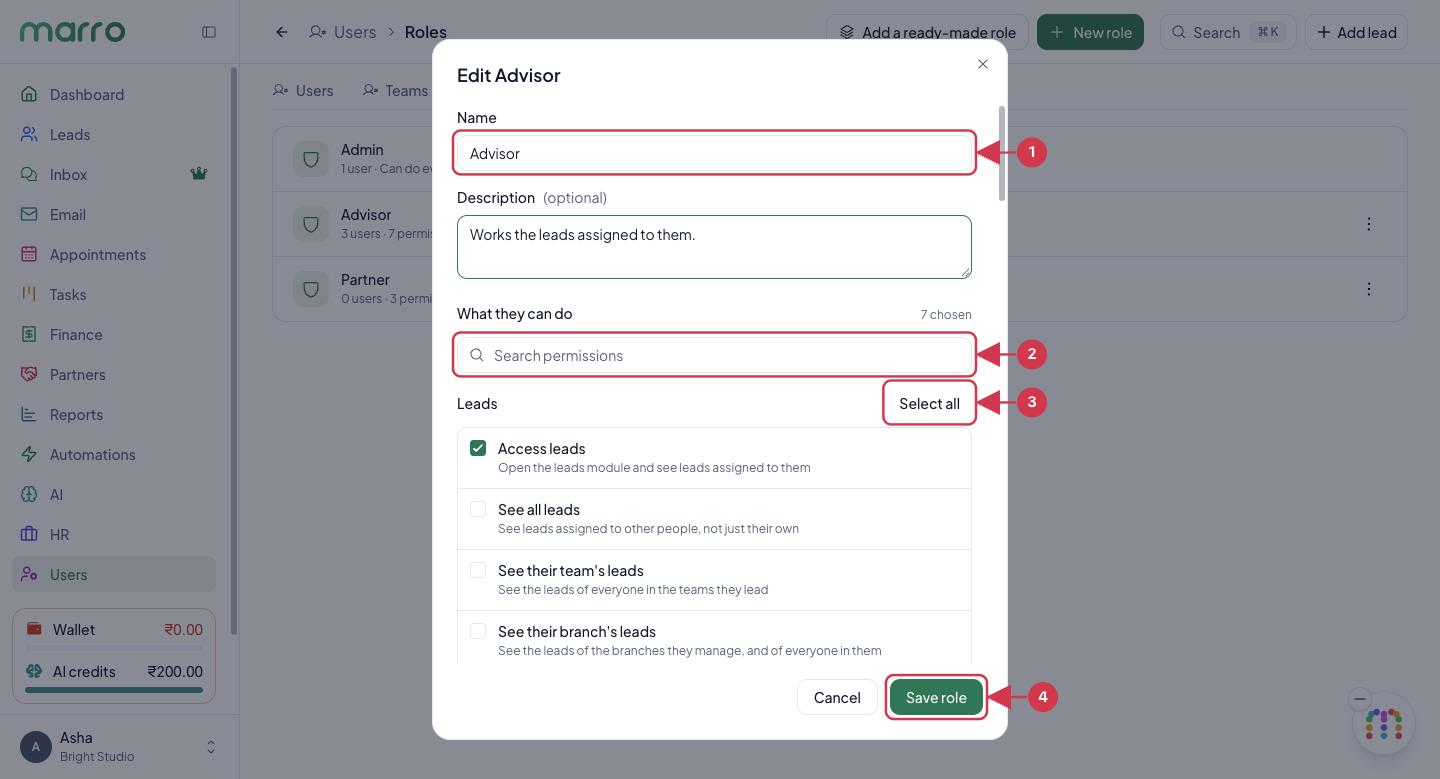
1
Open the role
Choose New role, or open one to edit it.
2
Name it and search
Change the name; Search permissions to find one.
3
Tick permissions
Select all ticks an area.
4
Save
Choose Save role.
Permissions worth knowing
Ask Marro
Try asking
“Add a Manager role”Marro shows the change and asks before saving.