

The Calls list
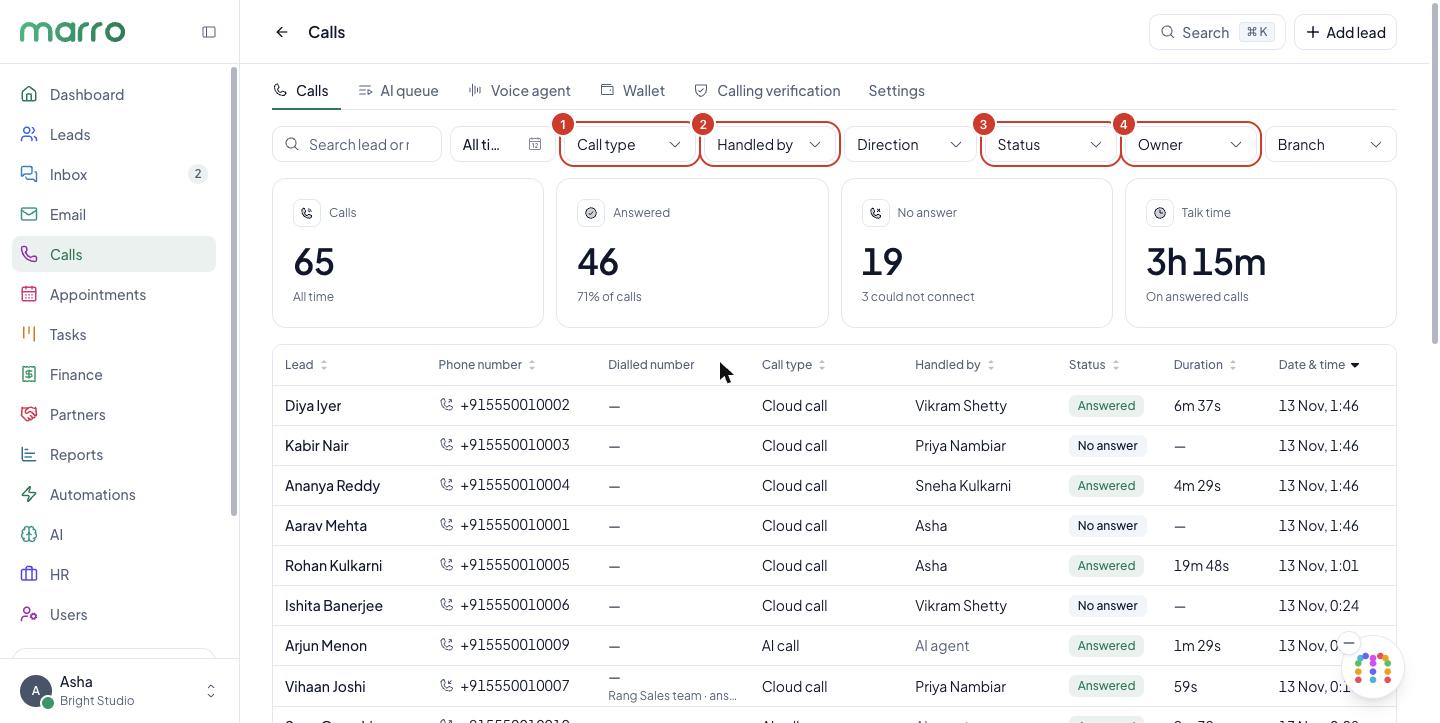
Filter by date, type, handled by, direction, status (Answered, Missed, No answer, Failed, In progress, Waiting) and lead owner.
A lead’s calls
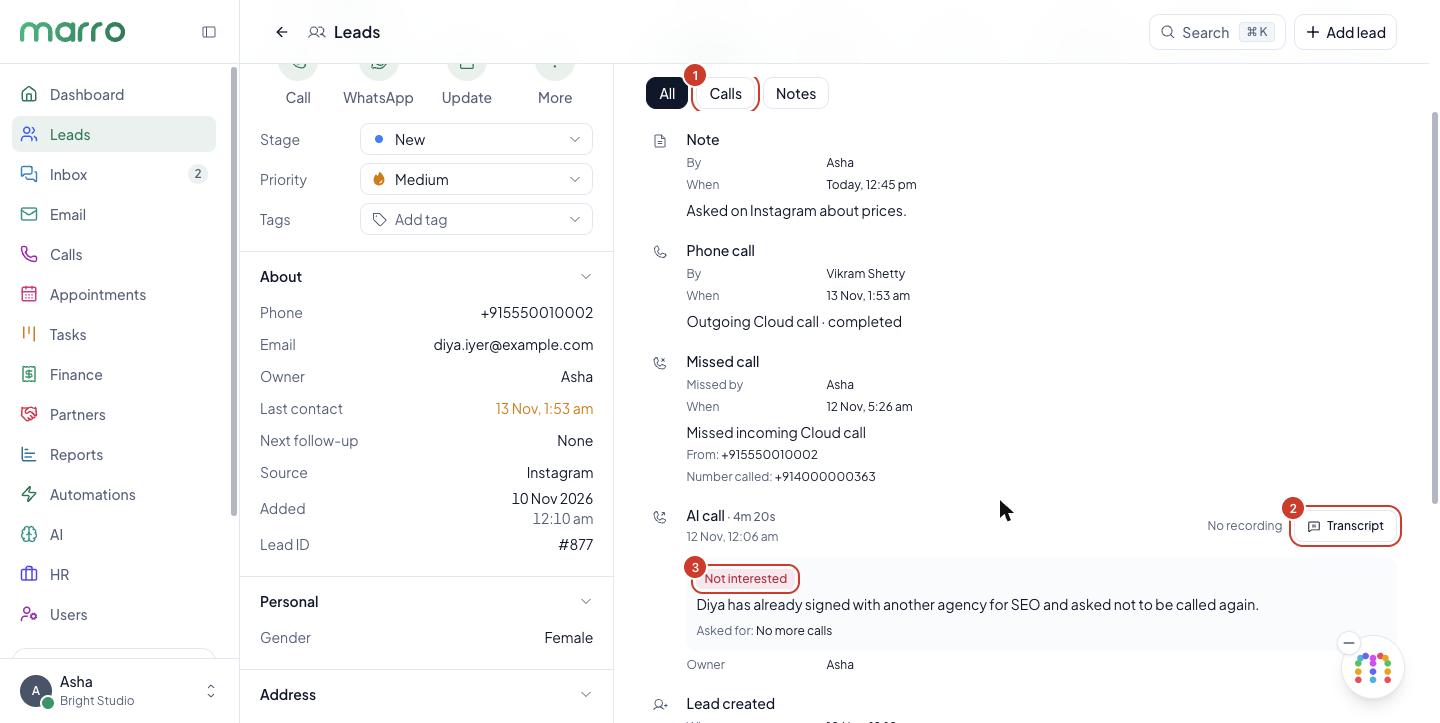
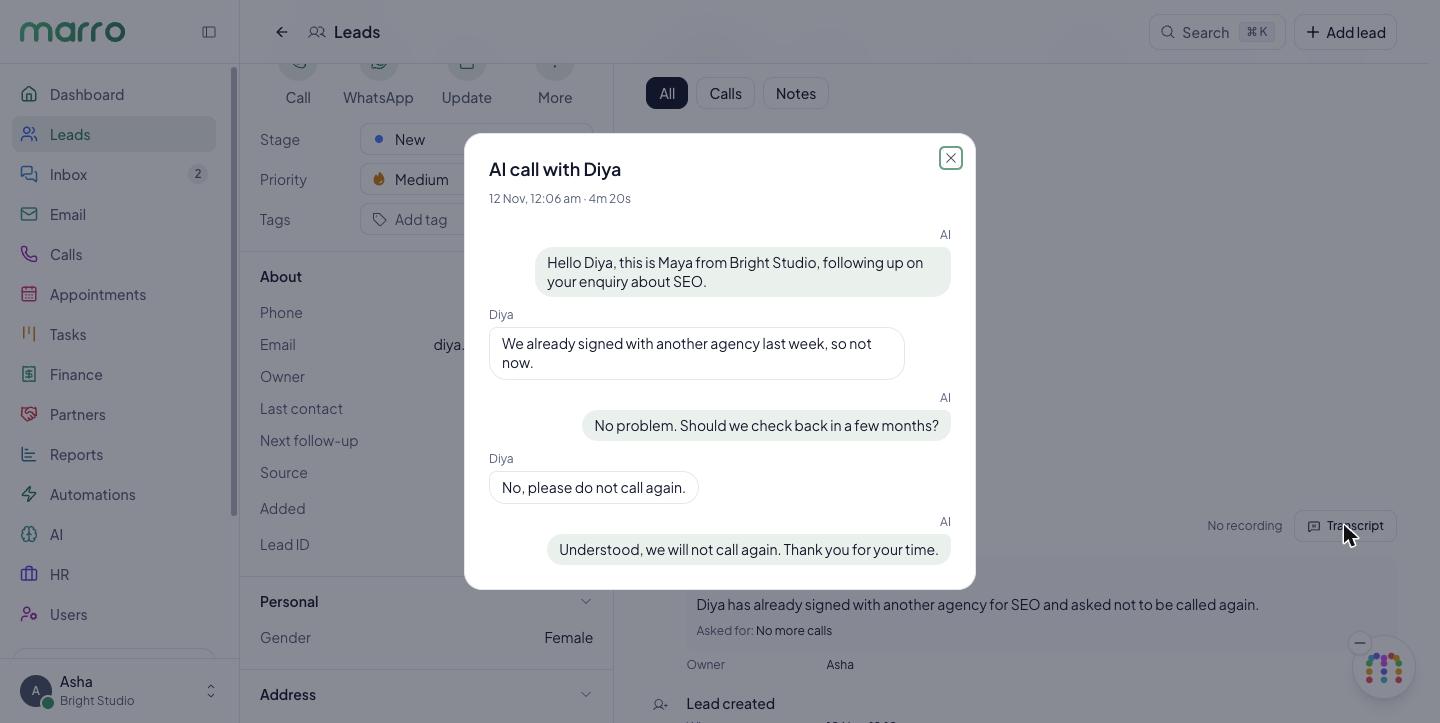
Recording and transcript
1
Open the call
Select it in Calls, or on the lead’s Activity → Calls.
2
Choose Recording or Transcript
Request a transcript if AI access is on.
3
Choose Analyse call
You get a summary, objections, commitments and follow-up. It creates no notes or tasks.
Log the result
1
Open Update
On the lead, click Update.
2
Pick the call status
Had a conversation, Could not reach them, Wrong number or Language barrier.
3
Pick the outcome
Add the follow-up date when the outcome books one.
4
Fill in the rest
Answer the fields your team asks for and add a note.
5
Save update
The lead moves to the stage that outcome leads to.
Ask Marro
Try asking
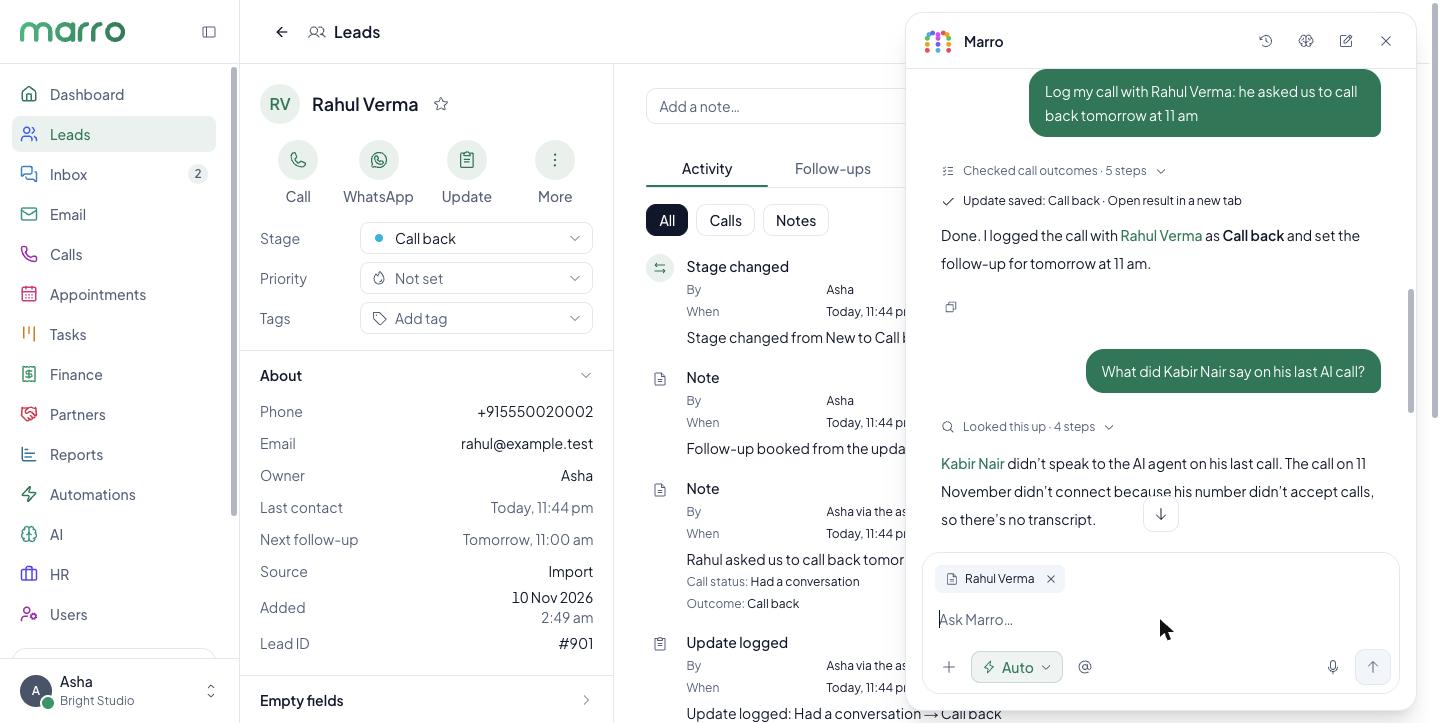
“Log that I spoke to Ravi and he wants a callback tomorrow.”Marro prepares the note and follow-up for you to approve.