An opportunity is one deal with a customer: Website redesign, ₹85,000, closing 15 Dec. A lead can have several. Find them in Leads → Opportunities.
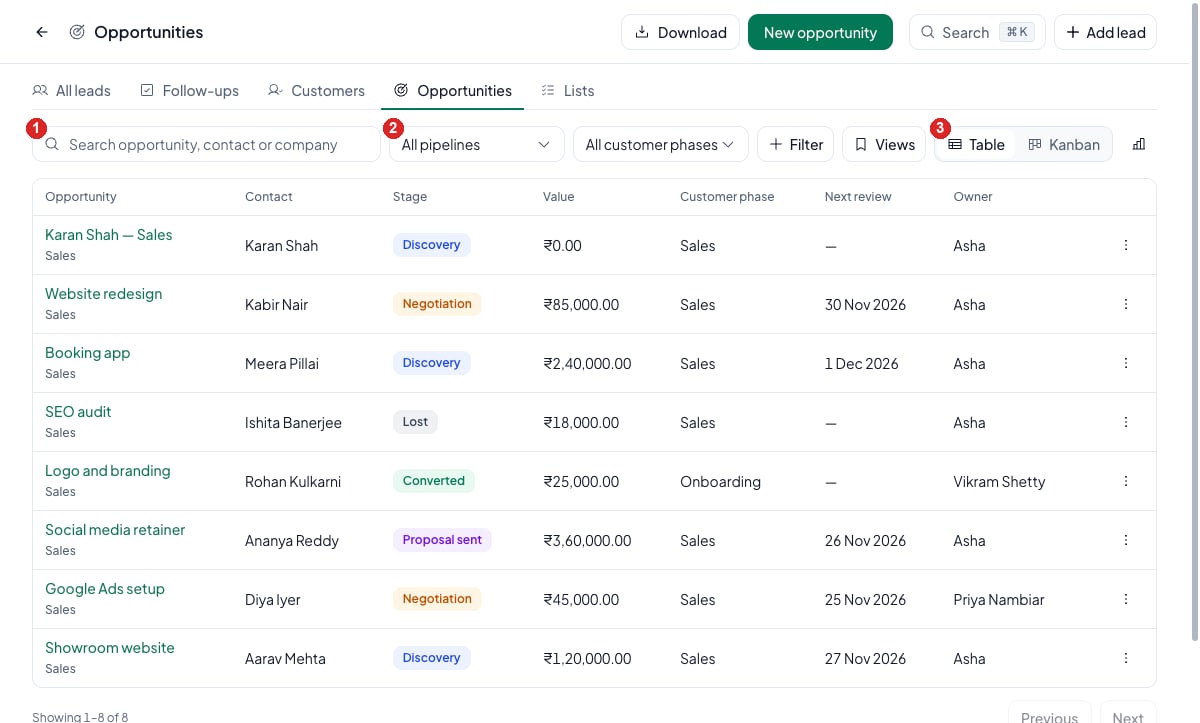
Opportunities list with search, pipeline filter and Table or Kanban
  1. Search by opportunity, contact or company.
  2. Pick the pipeline. To keep deals apart from leads, see Pipelines.
  3. Table or Kanban. Each row’s ⋯ menu opens or edits it.
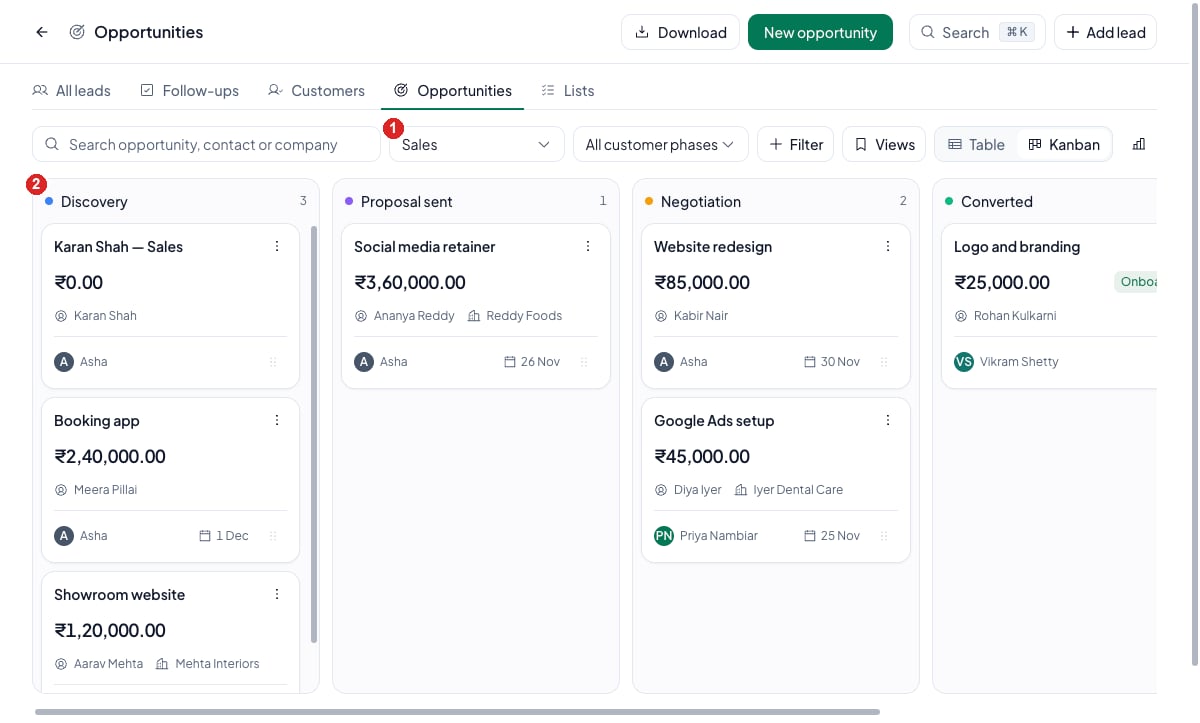
Opportunities board in the Sales pipeline: Discovery, Proposal sent, Negotiation, Converted
On Kanban, drag a card to another stage.

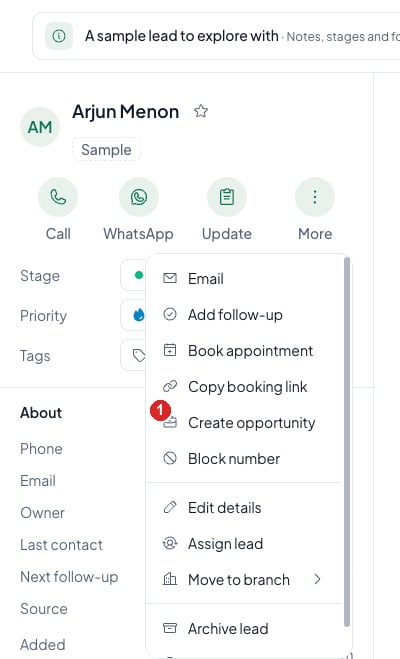
Make one from a lead

A lead's More menu with Create opportunity
On the lead, choose More → Create opportunity (1).
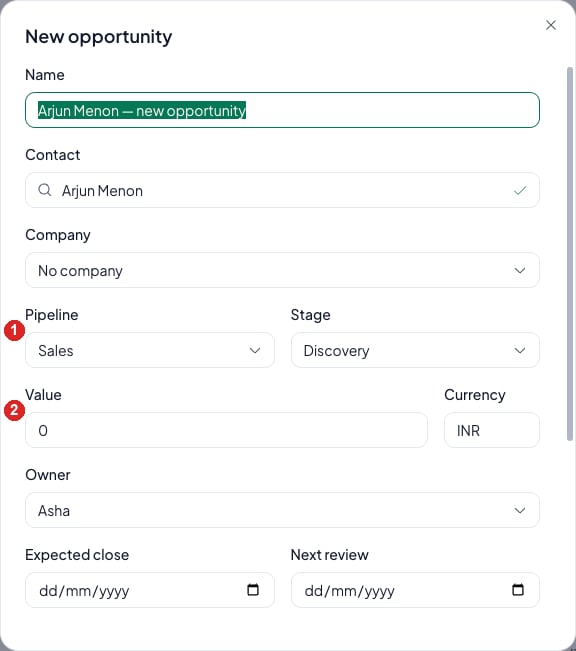
New opportunity form: name, contact, company, pipeline Sales, stage Discovery, value, owner, dates
  1. Pipeline and Stage start at your opportunities default.
  2. Add the Value, Owner, Expected close and Next review, then Save opportunity.
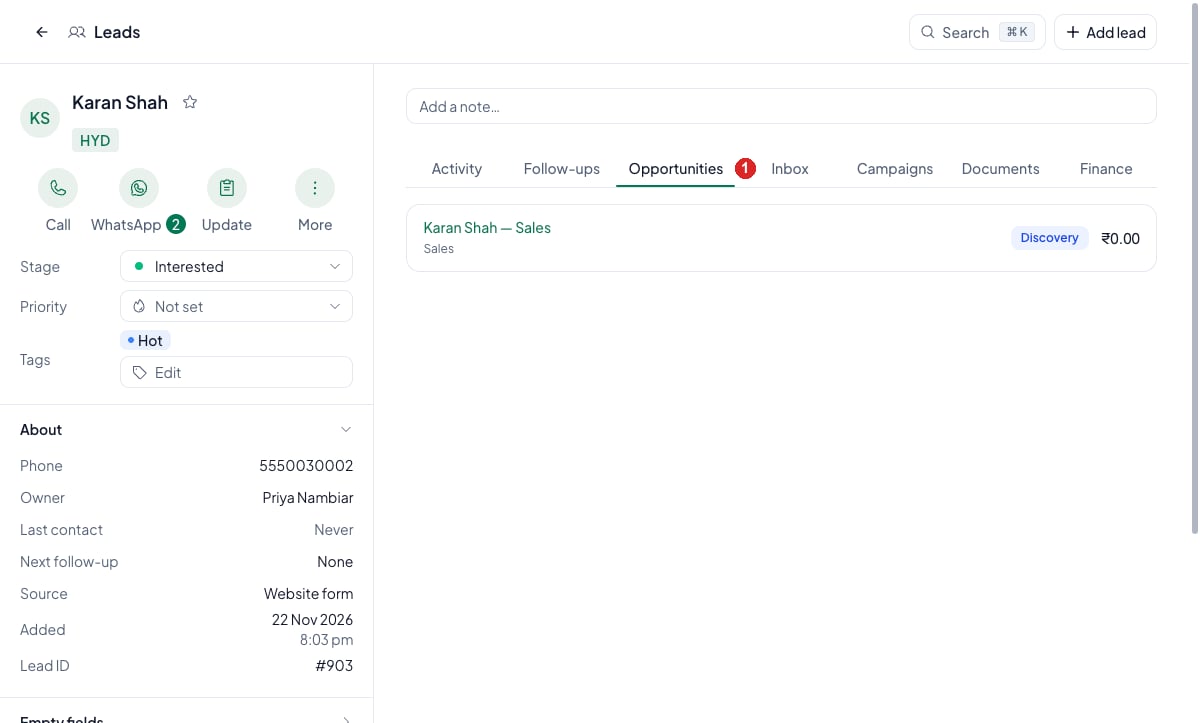
The lead’s contact is reused or made for you. The lead itself is not changed. It shows the deal in its Opportunities tab:
The lead's Opportunities tab listing its opportunity with stage and value

Make one automatically

Let Marro make the opportunity when a lead reaches a stage. In Automations → New automation, describe it and choose Ask Marro:
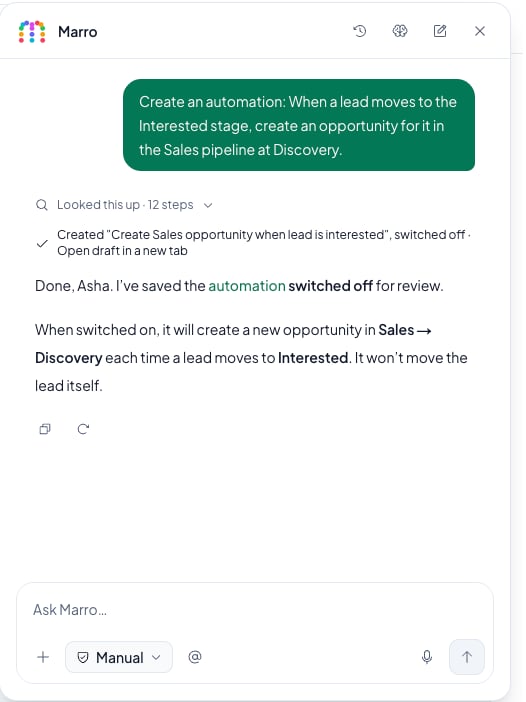
Ask Marro builds the automation: when a lead moves to Interested, create an opportunity in Sales at Discovery
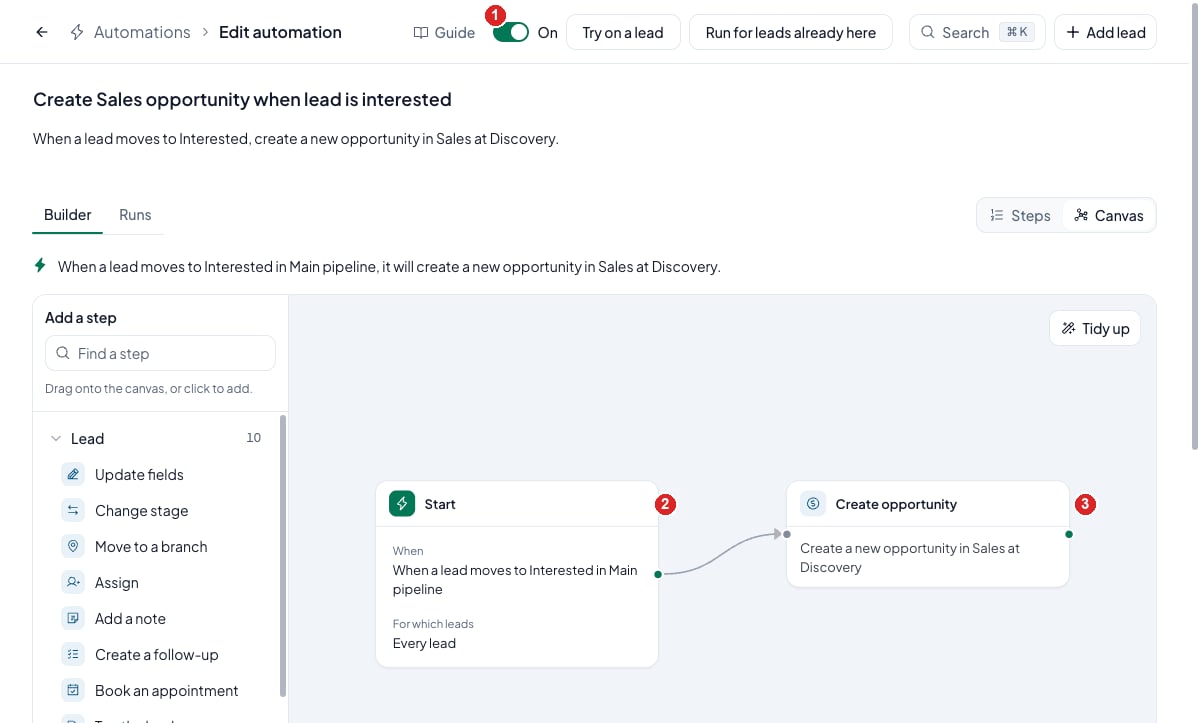
The automation: Start when a lead moves to Interested, then Create opportunity in Sales at Discovery
  1. Switch it On and Save and switch on.
  2. Start: A lead’s stage changes to the stage you pick.
  3. Create opportunity: the pipeline, starting stage and value. Choose one per lead, or a new one each time.
Add Set the lead’s stage from the opportunity to keep the two in step. Sample leads never run automations.

Work an opportunity

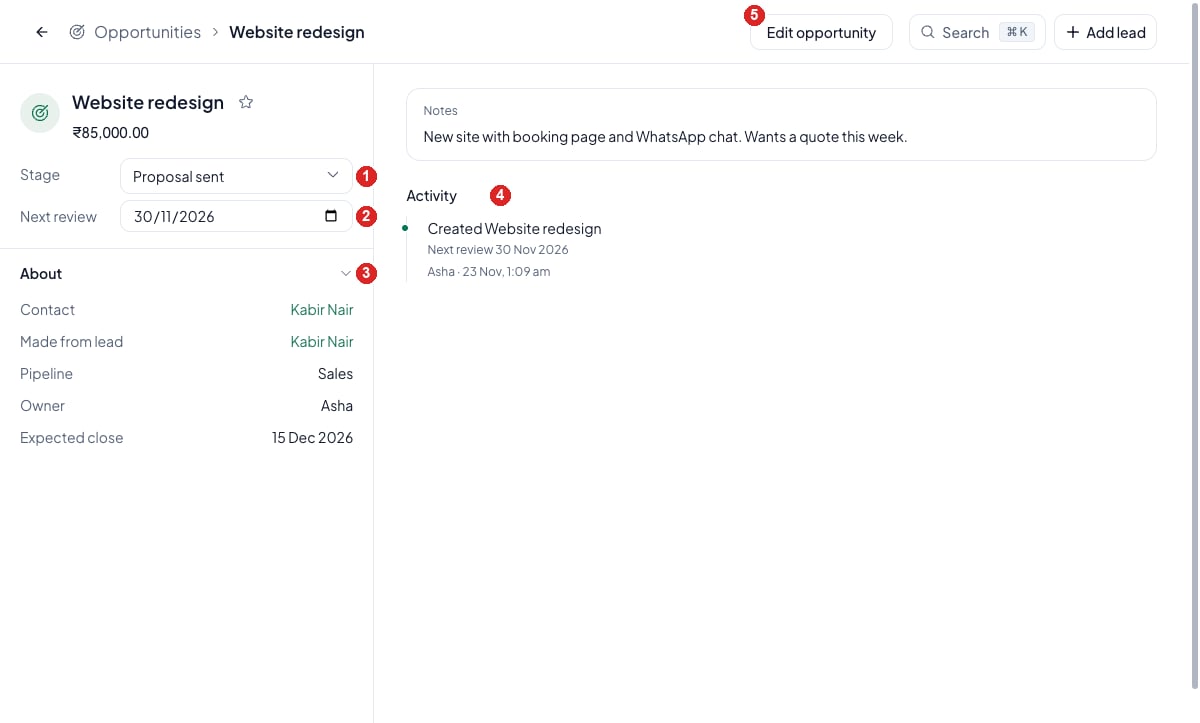
An opportunity: stage and next review on the left, About, notes and activity
  1. Stage: change it here; Save appears.
  2. Next review: when to look at it again.
  3. About: the contact, the lead it came from, pipeline, owner, expected close.
  4. Activity: every change, newest first.
  5. Edit opportunity changes the name, value, company and notes.
When it reaches a won stage such as Converted, pick its Customer phase: Onboarding, Delivery, Follow-up, Renewal or Complete.

Ask Marro

Try asking

“Create an opportunity for Kabir Nair: Website redesign, ₹85,000, closing 15 December”“Which opportunities are in Negotiation, and what are they worth?”“Move Website redesign to Proposal sent”

For developers

Opportunities in the API

List, create and update opportunities like any customer record.