

Leads, contacts and opportunities
- Creating an opportunity from a lead makes the contact (or reuses one with the same email or phone) and remembers the lead it came from.
- The lead is never changed. It keeps its own stage and history; an automation can keep the two in step.
- One contact can have many opportunities: a website now, a retainer later.
A contact
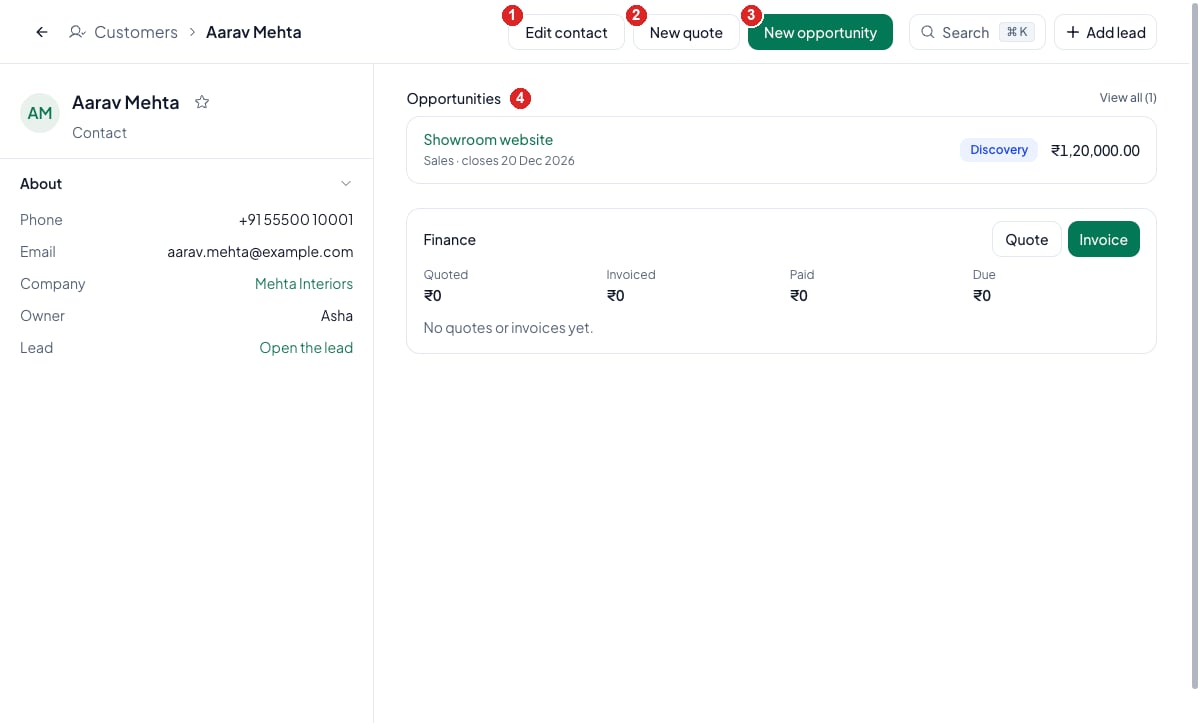
- Edit contact changes the details.
- New quote starts a quote for them.
- New opportunity starts a deal for them.
- Their Opportunities and their Finance: quoted, invoiced, paid and due.
A company
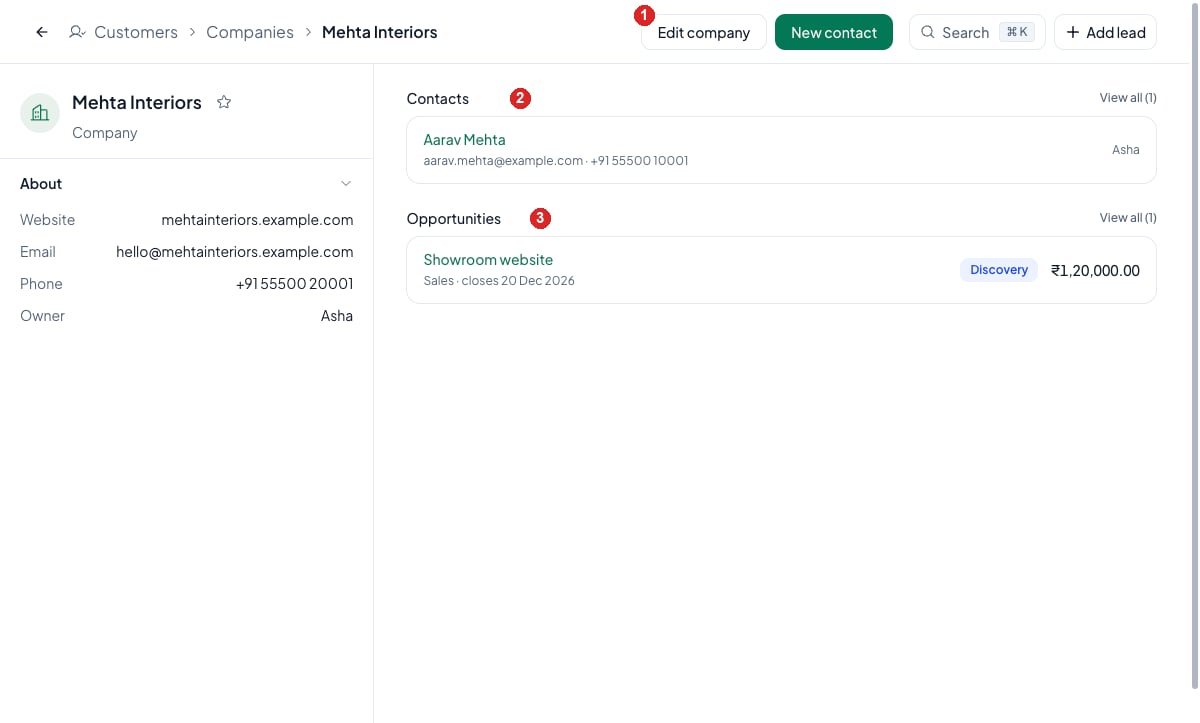
- New contact adds someone who works there.
- Its Contacts.
- Its Opportunities, from all its contacts.
Lists
Link existing lead makes a contact and a first opportunity from a lead, once; the lead and its history stay as they are. Download saves the list.
Ask Marro
Try asking
“Add a company Mehta Interiors with Aarav Mehta as its contact”“Show everything we have quoted to Aarav Mehta”
For developers
Customers in the API
Contacts, companies and opportunities share the customer records API.