

Assignment rules
1
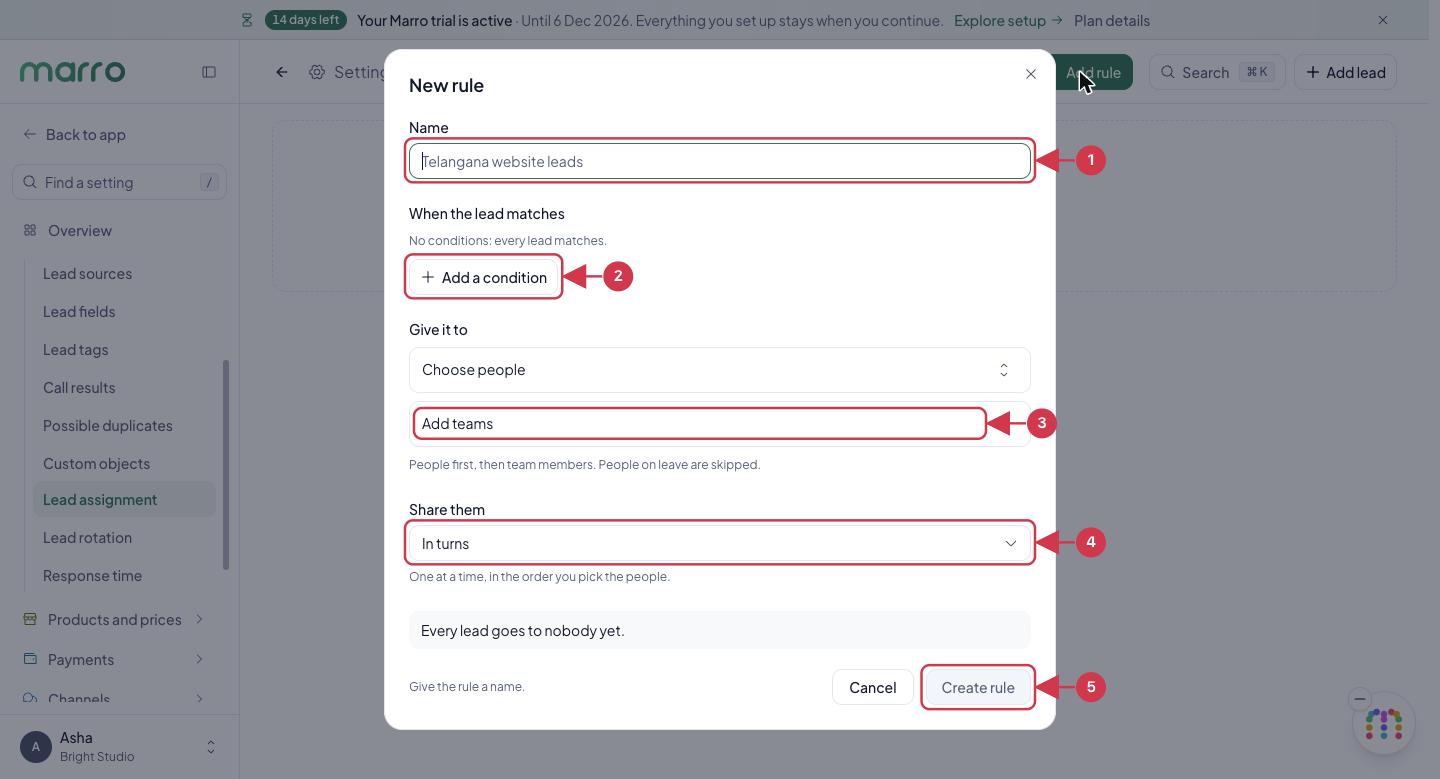
Name the rule
Give it a name.
2
Add a condition
Source, state, words and more. With none, it applies to every lead.
3
Give it to
Choose the people and teams. People come first, then team members. People on leave are skipped.
4
Share them
In turns, or In turns among those checked in.
5
Create rule
Press Create rule.
Try asking
“Create a lead assignment rule called Ad leads: leads from Google Ads or Facebook Ads go to the Sales team in turns”Marro creates the rule.
Then rotation and response time
Lead rotation
Pass a lead nobody has touched to the next person.
Response time
Set how fast new leads should get a first reply.