

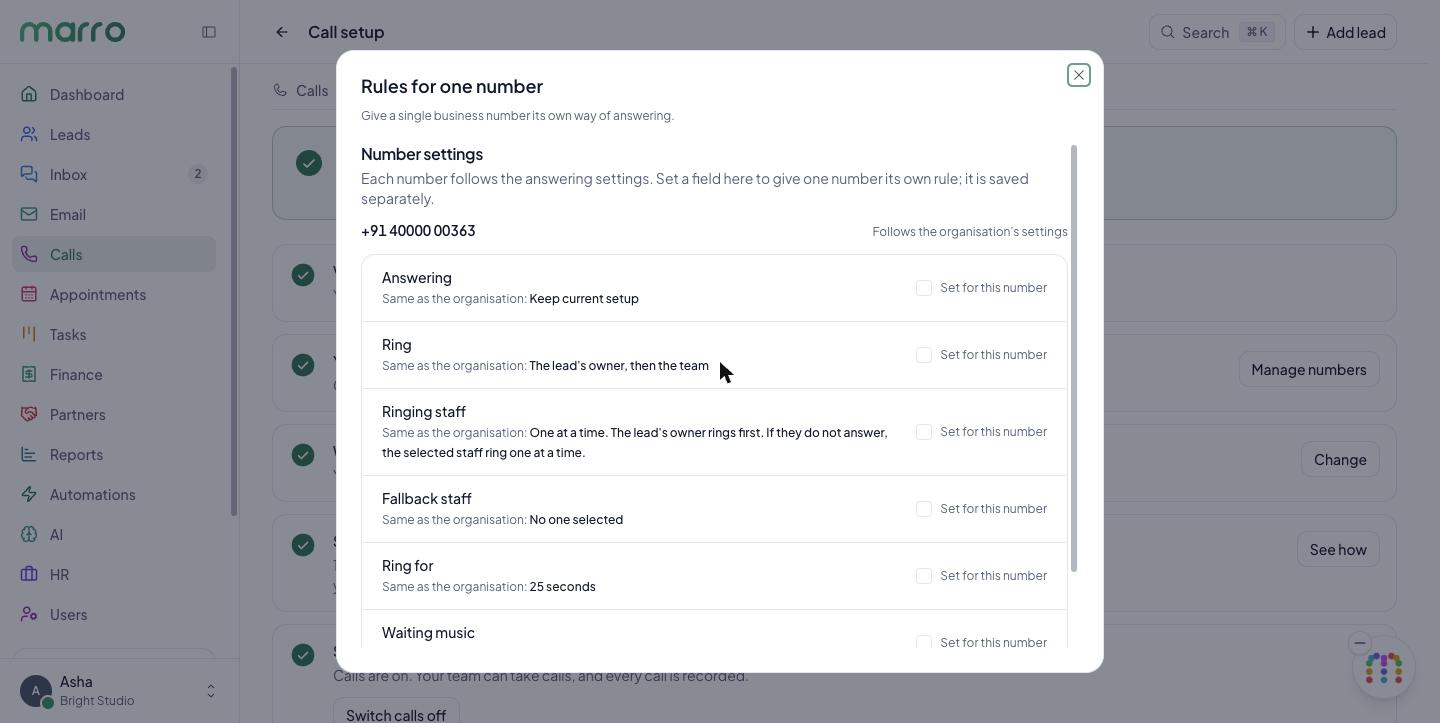
Set a rule for a number
1
Open the rules
Go to More options → Rules for one number and find the number.
2
Choose what is different
Each row shows Same as the organization. Tick Set for this number on the row you want to change, such as Answering, Ring, Ring for or Waiting music.
3
Save
Rows you leave alone keep following the organization.
What you can change
For rules that cover many numbers, use Who answers.
Ask Marro
Try asking
“Make our Vizag number ring the sales team all together.”Marro prepares the change for you to approve.