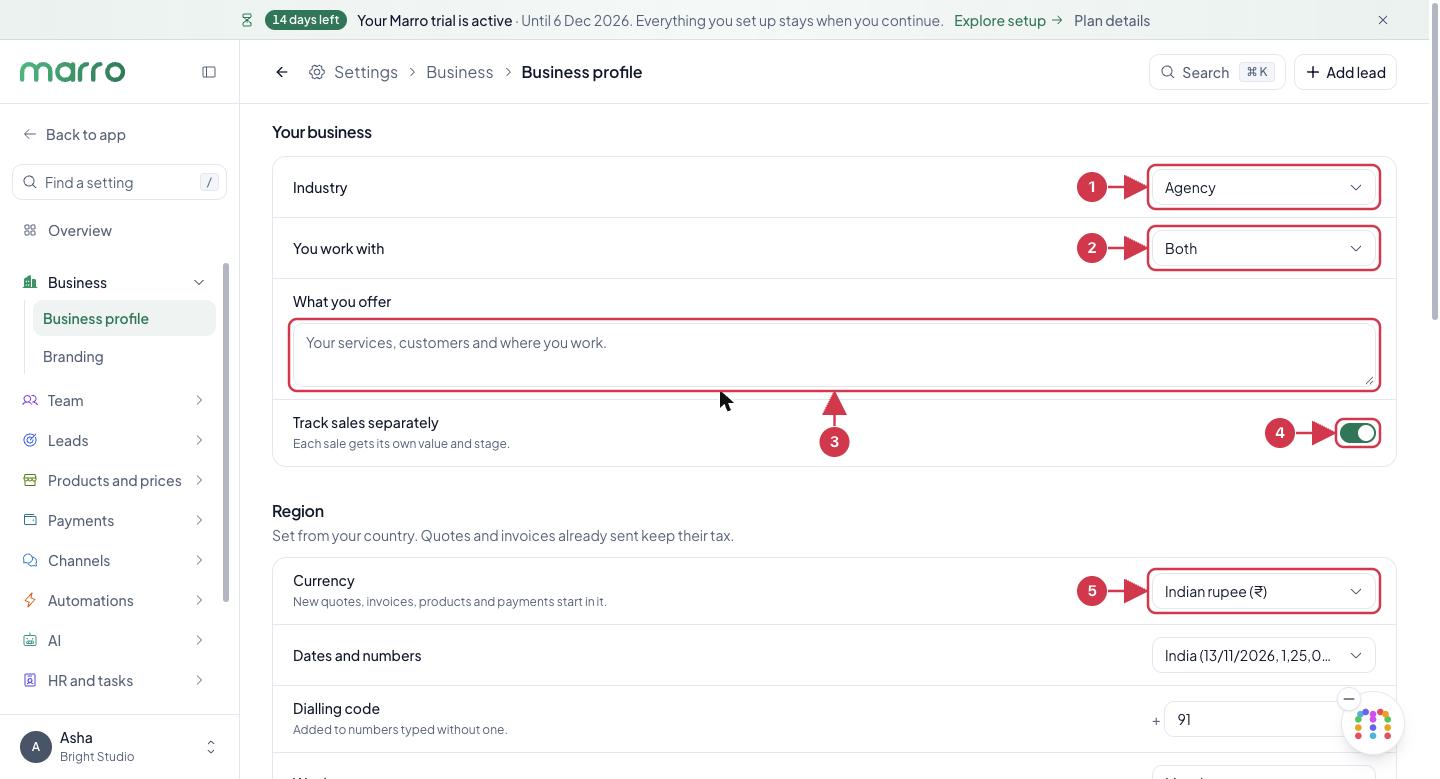
Your business
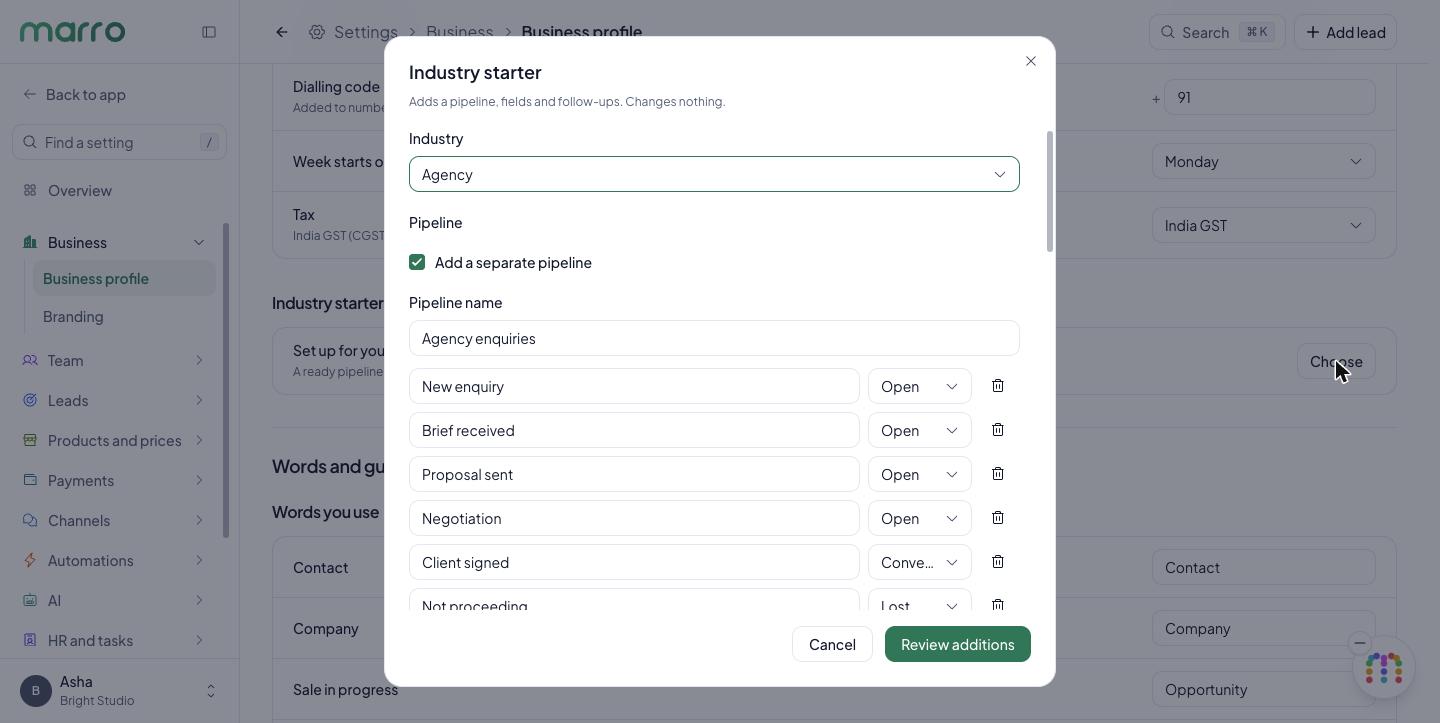
Industry starter
Set up for your industry adds a ready pipeline, fields and follow-ups. It only adds; nothing existing changes.1
Choose your industry
Open Industry starter and pick the closest one.
2
Review what will be added
Untick or edit the pipeline, fields, booking types and follow-ups.
3
Apply
Only what you leave ticked is added. Starter booking types and workflows must be enabled separately.
Words and guidance
Under Advanced → Words and guidance, change the words you use for things, and tell the assistant how you work.Ask Marro
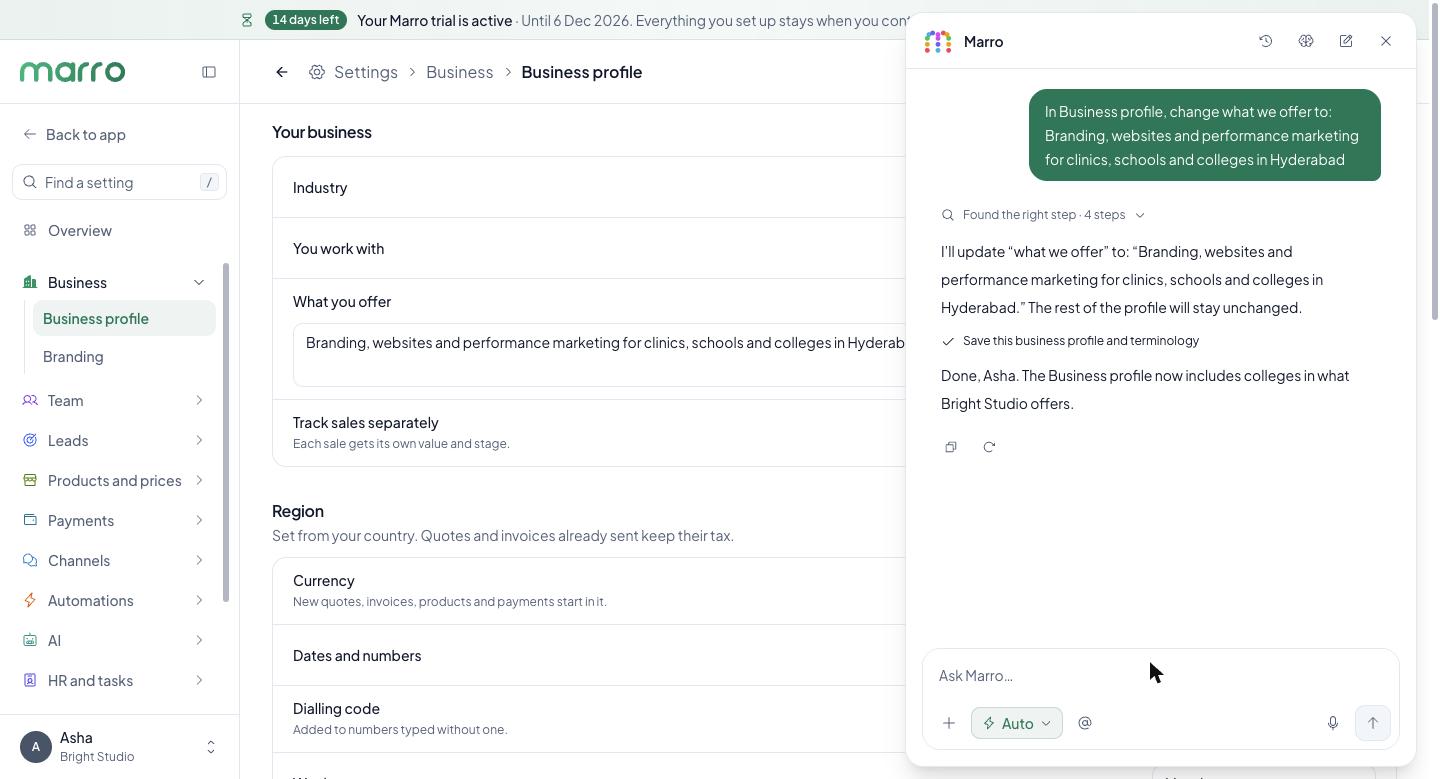
Try asking
“In Business profile, change what we offer to: Branding and websites for clinics in Hyderabad”Marro fills the field on the page and says Done.