Most businesses only need Who answers. For menus or checks on new and known callers, open Calls → Settings → More options → Call flows.

Step types

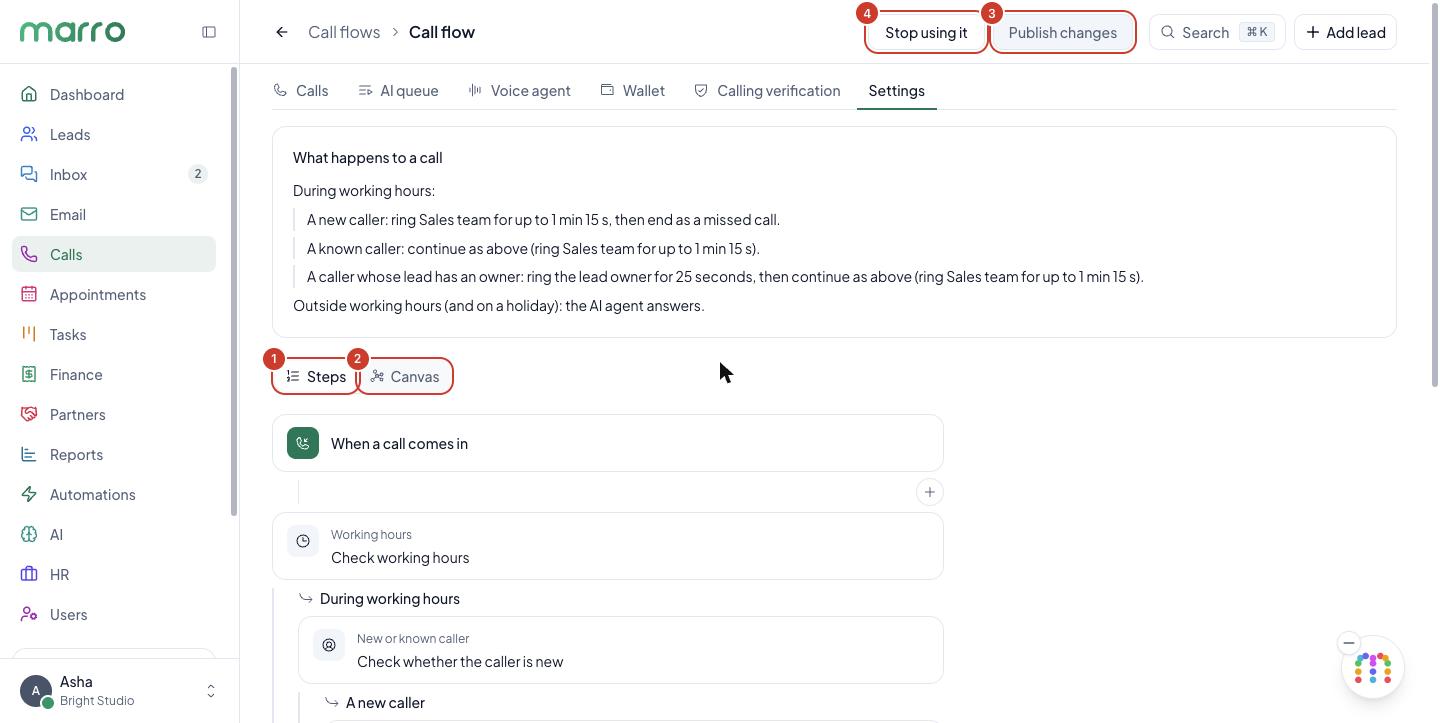
A call flow as steps, with its plain-words summary

Steps or canvas

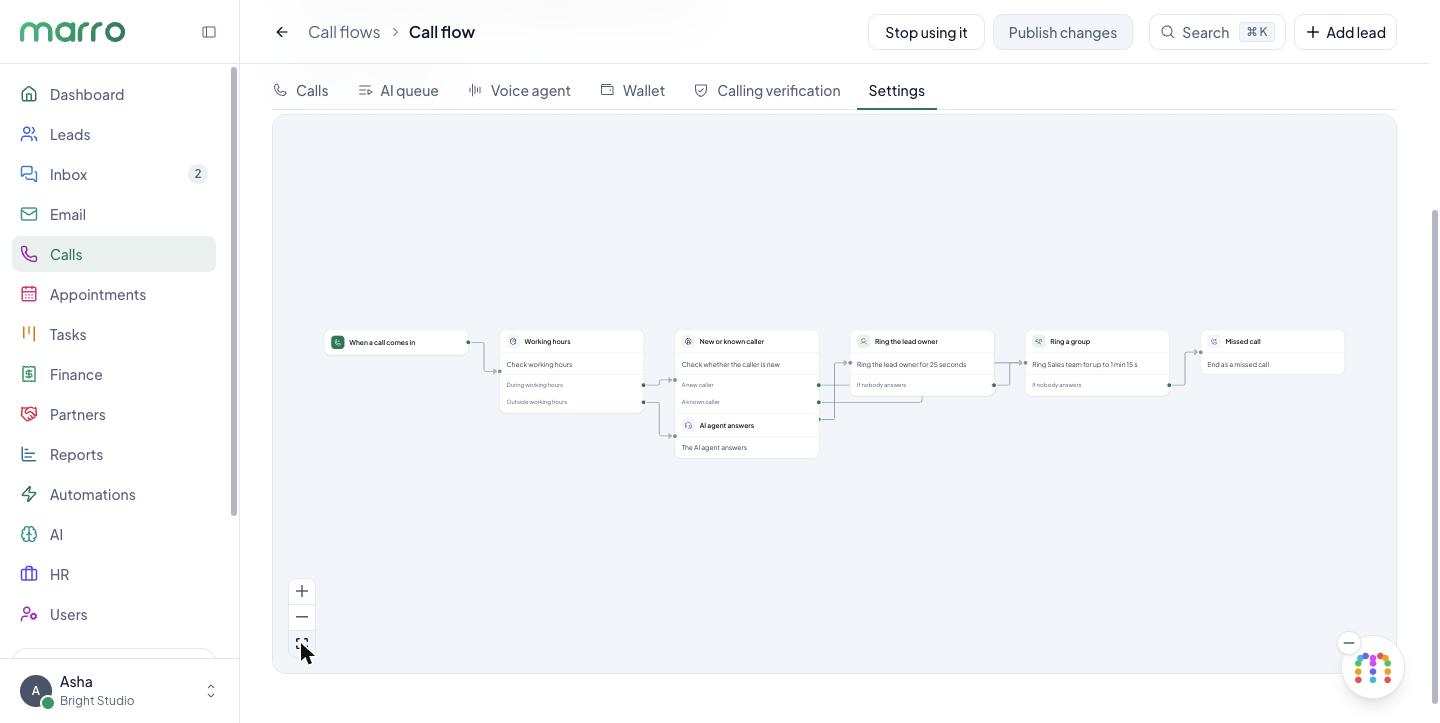
A call flow on the canvas
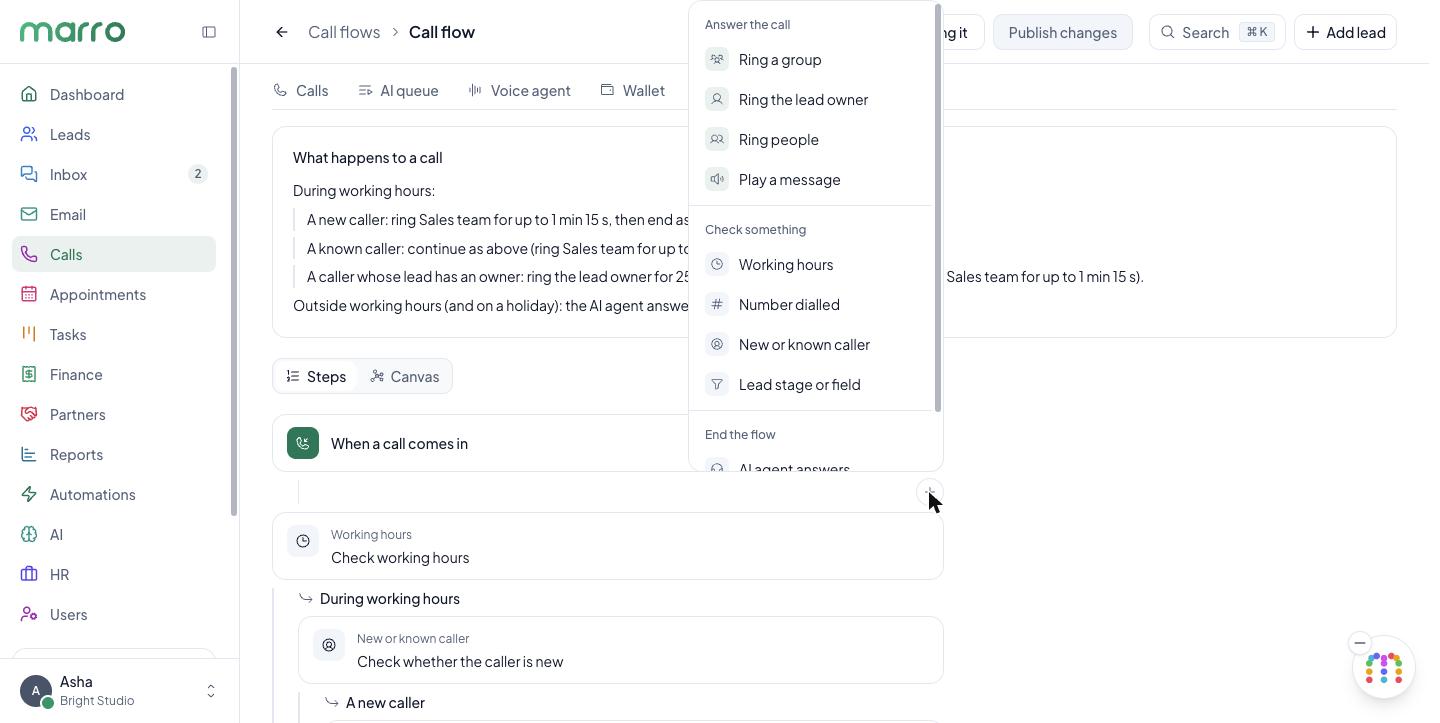
Build the flow as a list of steps, or on the canvas. Add a step from the menu.
The menu of step types

Publish or stop using it

1

Save draft

Changes nothing for callers.
2

Publish

Makes the flow live.
3

Stop using it

Goes back to your ordinary Who answers settings.
Each call shows its path in plain words, such as Dialled Shop A · rang Telugu team · answered by Priya.

Ask Marro

Try asking

“What does our call flow do after working hours?”Marro reads the published flow back in plain words.